Giới thiệu: Hiệu ứng JavaScript này cho phép bạn tạo dáng cho con trỏ chuột trên trang web. Điểm đặc biệt của là nó cho phép bạn sử dụng hình ảnh bất kì để tạo dáng cho con trỏ chuột, chứ không nhất thiết phải là tập tin dạng .ico, .cur
Lưu ý: Tâm chuột là chính giữa. Cho dù bạn có chèn hình gì đi chăng nữa thì phần tâm vẫn hiện hình mũi tên trắng, và hình khi tô khối là dấu +.
Điều này có nghĩa là: Thủ thuật chỉ tạo thêm lớp ảnh bao quanh con chuột bình thường mà thôi.
CÁCH THỰC HIỆN
1. Đăng nhập Blogger Dashboard (Bảng điều khiển)
2. Chọn: Design (Thiết kế) > Edit HTML (Chỉnh sữa HTML)
3. Không cần đánh dấu chọn ô: Expand Widget Templates (Mở rộng mẫu tiện ích)
4. Chèn script
Bước 1: Tìm thẻ đóng </head>
- Thêm vào trước nó đoạn mã sau:
<!-- Tạo trỏ chuột với hình ảnh bất kỳ --> <script type='text/javascript'> //<![CDATA[<script type='text/javascript'>//<![CDATA[var skinableCursor = { skinPath : 'LINK_HÌNH_45x45_pixel', // Thay Link hình của bạn vào đây // private properties. Browser detect. Do not touch! :) IE : ( document.all && document.getElementById && !window.opera ), FF : (!document.all && document.getElementById && !window.opera), OP : (document.all && document.getElementById && window.opera), // private properties. Cursor attributes. Do not touch! :) cursor : { lt : { x : '0px', y : '0px', w : '19px', h : '26px' , dx : -22, dy : -22 }, rt : { x : '19px', y : '0px', w : '26px', h : '19px' , dx : -3, dy : -22 }, rb : { x : '26px', y : '19px', w : '19px', h : '26px' , dx : 4, dy : -3 }, lb : { x : '0px', y : '26px', w : '26px', h : '19px' , dx : -22, dy : 4 } }, // private method. Initialize init : function () { skinableCursor.cursor.browserDelta = (skinableCursor.IE ? 2 : 0); if ( skinableCursor.FF || skinableCursor.OP ) { document.addEventListener("DOMContentLoaded", skinableCursor.domReady, false); } if ( skinableCursor.IE ) { document.write("<scr" + "ipt id=__ieinit defer=true " + "src=//:><\/script>"); var script = document.getElementById("__ieinit"); script.onreadystatechange = function() { if ( this.readyState != "complete" ) return; this.parentNode.removeChild( this ); skinableCursor.domReady(); }; script = null; } }, // private method. domReady : function () { skinableCursor.create(); if ( skinableCursor.FF || skinableCursor.OP ) { var s = document.createElement('style'); s.innerHTML = '* { cursor: inherit; } html { height: 100%; } body, html { cursor: crosshair; }'; document.body.appendChild(s); document.addEventListener('mousemove', skinableCursor.move, false); } if ( skinableCursor.IE ) { var s = document.createStyleSheet() s.addRule("*", "cursor: inherit"); s.addRule("body", "cursor: crosshair"); s.addRule("html", "cursor: crosshair"); document.attachEvent('onmousemove', skinableCursor.move); } var anchors = document.getElementsByTagName('a'); for (x = 0; x < anchors.length; x++) { if ( skinableCursor.FF || skinableCursor.OP ) { anchors[x].addEventListener('mousemove', skinableCursor.events.anchor, false); anchors[x].addEventListener('mouseout', skinableCursor.events.show, false); } if ( skinableCursor.IE ) { anchors[x].attachEvent('onmousemove', skinableCursor.events.anchor); anchors[x].attachEvent('onmouseout', skinableCursor.events.show); } } }, // private method. Create cursor create : function () { function create(el, d) { el.style.position = 'absolute'; el.style.overflow = 'hidden'; el.style.display = 'none'; el.style.left = d.x; el.style.top = d.y; el.style.width = d.w; el.style.height = d.h; if ( skinableCursor.IE ) { el.innerHTML = '<img src="' + skinableCursor.skinPath + '" style="margin: -' + d.y + ' 0px 0px -' + d.x + '">'; } else { el.style.background = 'url(' + skinableCursor.skinPath + ') -' + d.x + ' -' + d.y; } return el; } var c = skinableCursor.cursor; c.lt.el = create(document.createElement('div'), c.lt); c.rt.el = create(document.createElement('div'), c.rt); c.rb.el = create(document.createElement('div'), c.rb); c.lb.el = create(document.createElement('div'), c.lb); document.body.appendChild(c.lt.el); document.body.appendChild(c.rt.el); document.body.appendChild(c.rb.el); document.body.appendChild(c.lb.el); }, // private method. Move cursor move : function (e) { function pos(el, x, y) { el.el.style.left = x + el.dx + 'px'; el.el.style.top = y + el.dy + 'px'; } function hide(el, x, y) { var w = document.documentElement.clientWidth; var h = document.documentElement.clientHeight; var deltaX = w - (x + el.dx + parseInt(el.w) - skinableCursor.cursor.browserDelta); var deltaY = h - (y + el.dy + parseInt(el.h) - skinableCursor.cursor.browserDelta); if (!skinableCursor.noSkin) { el.el.style.display = deltaX > 0 ? (deltaY > 0 ? 'block' : 'none') : 'none'; } } var p = skinableCursor.getMousePosition(e); var s = skinableCursor.getScrollPosition(); var c = skinableCursor.cursor; var x = p.x + s.x - c.browserDelta; var y = p.y + s.y - c.browserDelta; hide(c.lt, p.x, p.y); hide(c.rt, p.x, p.y); hide(c.rb, p.x, p.y); hide(c.lb, p.x, p.y); pos(c.lt, x, y); pos(c.rt, x, y); pos(c.rb, x, y); pos(c.lb, x, y); }, // private method. Returns mouse position getMousePosition : function (e) { e = e ? e : window.event; var position = { 'x' : e.clientX, 'y' : e.clientY } return position; }, // private method. Get document scroll position getScrollPosition : function () { var x = 0; var y = 0; if( typeof( window.pageYOffset ) == 'number' ) { x = window.pageXOffset; y = window.pageYOffset; } else if( document.documentElement && ( document.documentElement.scrollLeft || document.documentElement.scrollTop ) ) { x = document.documentElement.scrollLeft; y = document.documentElement.scrollTop; } else if( document.body && ( document.body.scrollLeft || document.body.scrollTop ) ) { x = document.body.scrollLeft; y = document.body.scrollTop; } var position = { 'x' : x, 'y' : y } return position; }, // private property / methods. events : { anchor : function (e) { skinableCursor.noSkin = true; document.body.style.cursor = 'pointer'; var c = skinableCursor.cursor; c.lt.el.style.display = 'none'; c.rt.el.style.display = 'none'; c.rb.el.style.display = 'none'; c.lb.el.style.display = 'none'; }, show : function () { skinableCursor.noSkin = false; document.body.style.cursor = 'crosshair'; } } } skinableCursor.init(); // private properties. Browser detect. Do not touch! :) IE : ( document.all && document.getElementById && !window.opera ), FF : (!document.all && document.getElementById && !window.opera), OP : (document.all && document.getElementById && window.opera), // private properties. Cursor attributes. Do not touch! :) cursor : { lt : { x : '0px', y : '0px', w : '19px', h : '26px' , dx : -22, dy : -22 }, rt : { x : '19px', y : '0px', w : '26px', h : '19px' , dx : -3, dy : -22 }, rb : { x : '26px', y : '19px', w : '19px', h : '26px' , dx : 4, dy : -3 }, lb : { x : '0px', y : '26px', w : '26px', h : '19px' , dx : -22, dy : 4 } }, // private method. Initialize init : function () { skinableCursor.cursor.browserDelta = (skinableCursor.IE ? 2 : 0); if ( skinableCursor.FF || skinableCursor.OP ) { document.addEventListener("DOMContentLoaded", skinableCursor.domReady, false); } if ( skinableCursor.IE ) { document.write("<scr" + "ipt id=__ieinit defer=true " + "src=//:><\/script>"); var script = document.getElementById("__ieinit"); script.onreadystatechange = function() { if ( this.readyState != "complete" ) return; this.parentNode.removeChild( this ); skinableCursor.domReady(); }; script = null; } }, // private method. domReady : function () { skinableCursor.create(); if ( skinableCursor.FF || skinableCursor.OP ) { var s = document.createElement('style'); s.innerHTML = '* { cursor: inherit; } html { height: 100%; } body, html { cursor: crosshair; }'; document.body.appendChild(s); document.addEventListener('mousemove', skinableCursor.move, false); } if ( skinableCursor.IE ) { var s = document.createStyleSheet() s.addRule("*", "cursor: inherit"); s.addRule("body", "cursor: crosshair"); s.addRule("html", "cursor: crosshair"); document.attachEvent('onmousemove', skinableCursor.move); } var anchors = document.getElementsByTagName('a'); for (x = 0; x < anchors.length; x++) { if ( skinableCursor.FF || skinableCursor.OP ) { anchors[x].addEventListener('mousemove', skinableCursor.events.anchor, false); anchors[x].addEventListener('mouseout', skinableCursor.events.show, false); } if ( skinableCursor.IE ) { anchors[x].attachEvent('onmousemove', skinableCursor.events.anchor); anchors[x].attachEvent('onmouseout', skinableCursor.events.show); } } }, // private method. Create cursor create : function () { function create(el, d) { el.style.position = 'absolute'; el.style.overflow = 'hidden'; el.style.display = 'none'; el.style.left = d.x; el.style.top = d.y; el.style.width = d.w; el.style.height = d.h; if ( skinableCursor.IE ) { el.innerHTML = '<img src="' + skinableCursor.skinPath + '" style="margin: -' + d.y + ' 0px 0px -' + d.x + '">'; } else { el.style.background = 'url(' + skinableCursor.skinPath + ') -' + d.x + ' -' + d.y; } return el; } var c = skinableCursor.cursor; c.lt.el = create(document.createElement('div'), c.lt); c.rt.el = create(document.createElement('div'), c.rt); c.rb.el = create(document.createElement('div'), c.rb); c.lb.el = create(document.createElement('div'), c.lb); document.body.appendChild(c.lt.el); document.body.appendChild(c.rt.el); document.body.appendChild(c.rb.el); document.body.appendChild(c.lb.el); }, // private method. Move cursor move : function (e) { function pos(el, x, y) { el.el.style.left = x + el.dx + 'px'; el.el.style.top = y + el.dy + 'px'; } function hide(el, x, y) { var w = document.documentElement.clientWidth; var h = document.documentElement.clientHeight; var deltaX = w - (x + el.dx + parseInt(el.w) - skinableCursor.cursor.browserDelta); var deltaY = h - (y + el.dy + parseInt(el.h) - skinableCursor.cursor.browserDelta); if (!skinableCursor.noSkin) { el.el.style.display = deltaX > 0 ? (deltaY > 0 ? 'block' : 'none') : 'none'; } } var p = skinableCursor.getMousePosition(e); var s = skinableCursor.getScrollPosition(); var c = skinableCursor.cursor; var x = p.x + s.x - c.browserDelta; var y = p.y + s.y - c.browserDelta; hide(c.lt, p.x, p.y); hide(c.rt, p.x, p.y); hide(c.rb, p.x, p.y); hide(c.lb, p.x, p.y); pos(c.lt, x, y); pos(c.rt, x, y); pos(c.rb, x, y); pos(c.lb, x, y); }, // private method. Returns mouse position getMousePosition : function (e) { e = e ? e : window.event; var position = { 'x' : e.clientX, 'y' : e.clientY } return position; }, // private method. Get document scroll position getScrollPosition : function () { var x = 0; var y = 0; if( typeof( window.pageYOffset ) == 'number' ) { x = window.pageXOffset; y = window.pageYOffset; } else if( document.documentElement && ( document.documentElement.scrollLeft || document.documentElement.scrollTop ) ) { x = document.documentElement.scrollLeft; y = document.documentElement.scrollTop; } else if( document.body && ( document.body.scrollLeft || document.body.scrollTop ) ) { x = document.body.scrollLeft; y = document.body.scrollTop; } var position = { 'x' : x, 'y' : y } return position; }, // private property / methods. events : { anchor : function (e) { skinableCursor.noSkin = true; document.body.style.cursor = 'pointer'; var c = skinableCursor.cursor; c.lt.el.style.display = 'none'; c.rt.el.style.display = 'none'; c.rb.el.style.display = 'none'; c.lb.el.style.display = 'none'; }, show : function () { skinableCursor.noSkin = false; document.body.style.cursor = 'crosshair'; } }}skinableCursor.init();//]]></script>
Kích cỡ ảnh theo trỏ chuột là: 45x45 pixel.
Bước 2: Save template. (Lưu mẫu)
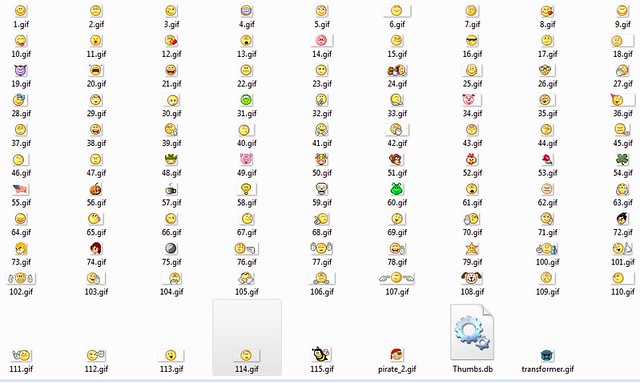
Một số mẫu tạo dáng cho trỏ chuột với hình ảnh


THE END.
Xem thêm tại đây: http://kenhdaihoc.com/forum/showthread.php?t=2090